
Pro
VoiceFollow
Your voice sets the pace.
Hands-free scrolling at the speed you talk.
Now on iPhone, iPad and Android™
The teleprompter that follows your voice. Your script scrolls as you speak and sits near the camera, so you can keep eye contact while you read.


Free with manual scrolling, basic video editing, and timed scrolling on Android. Pro adds VoiceFollow, recording, a floating prompt, auto-captions, the full video editor and timed scrolling on iPhone and iPad.
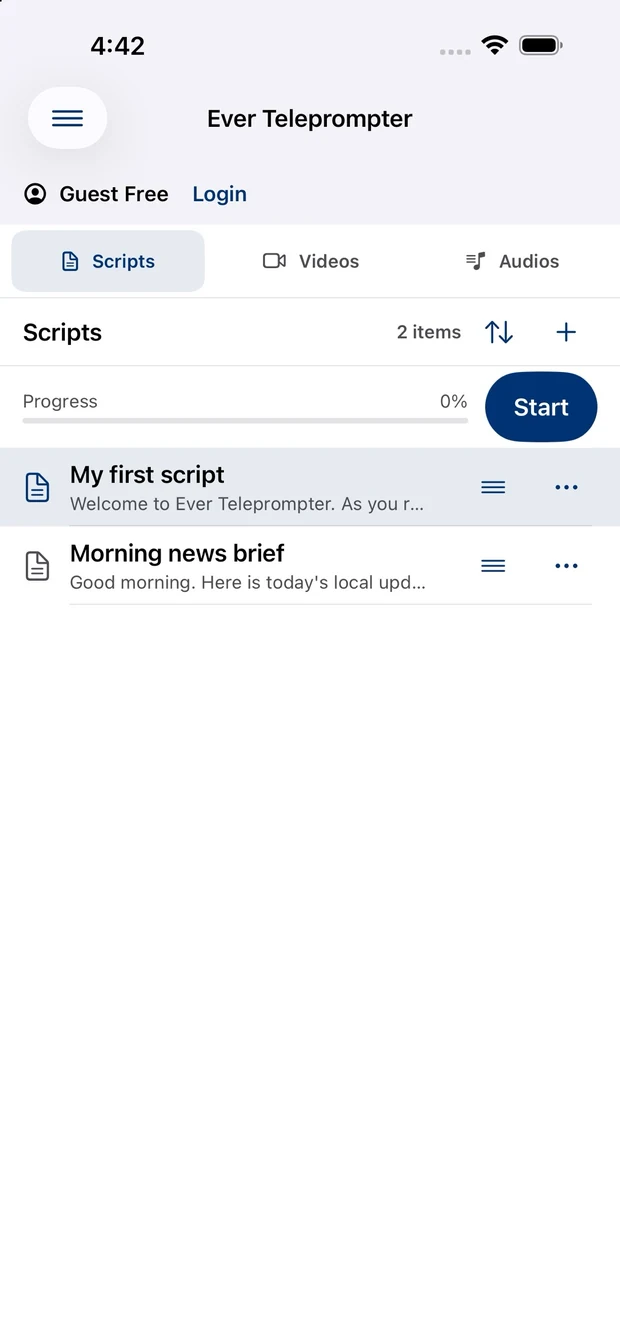
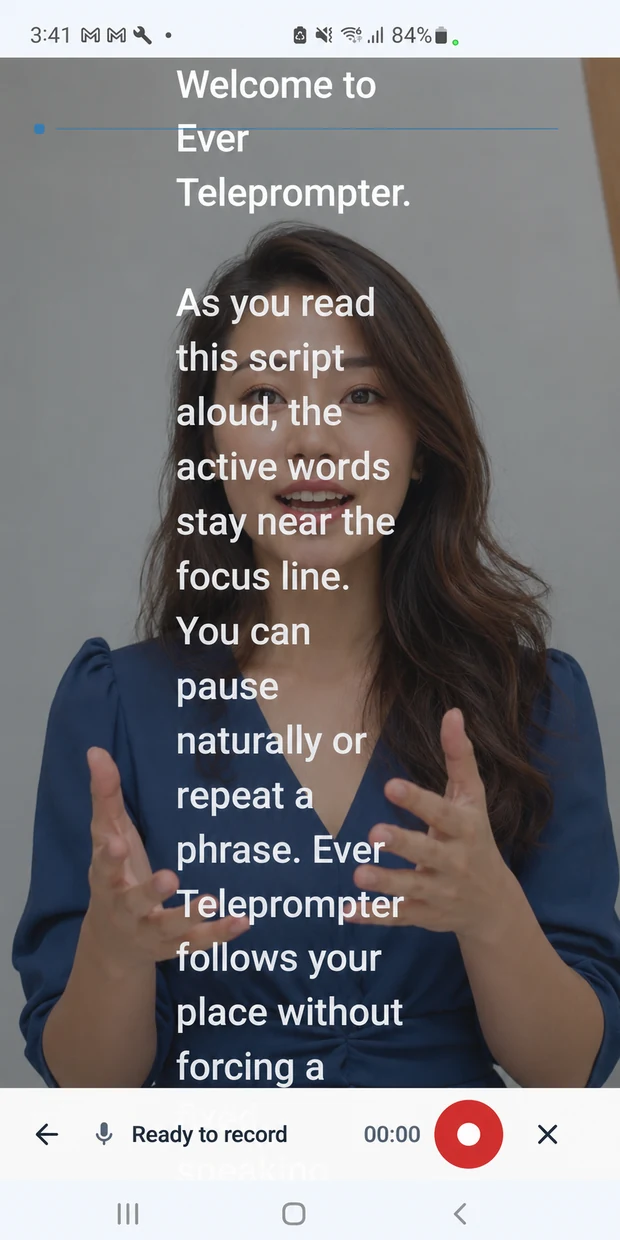
Camera-Eye Level Mode
Camera-Eye Level Mode places your script as close to the front camera as your screen allows, so your eyes stay near the lens while you read.
Keep your reading area near the camera so your gaze stays closer to your audience.
Viewers feel you're talking with them, not reading at them.
Designed for iPhone, iPad and Android. Placement depends on where your camera is and how you hold your device, so check the view before you begin.
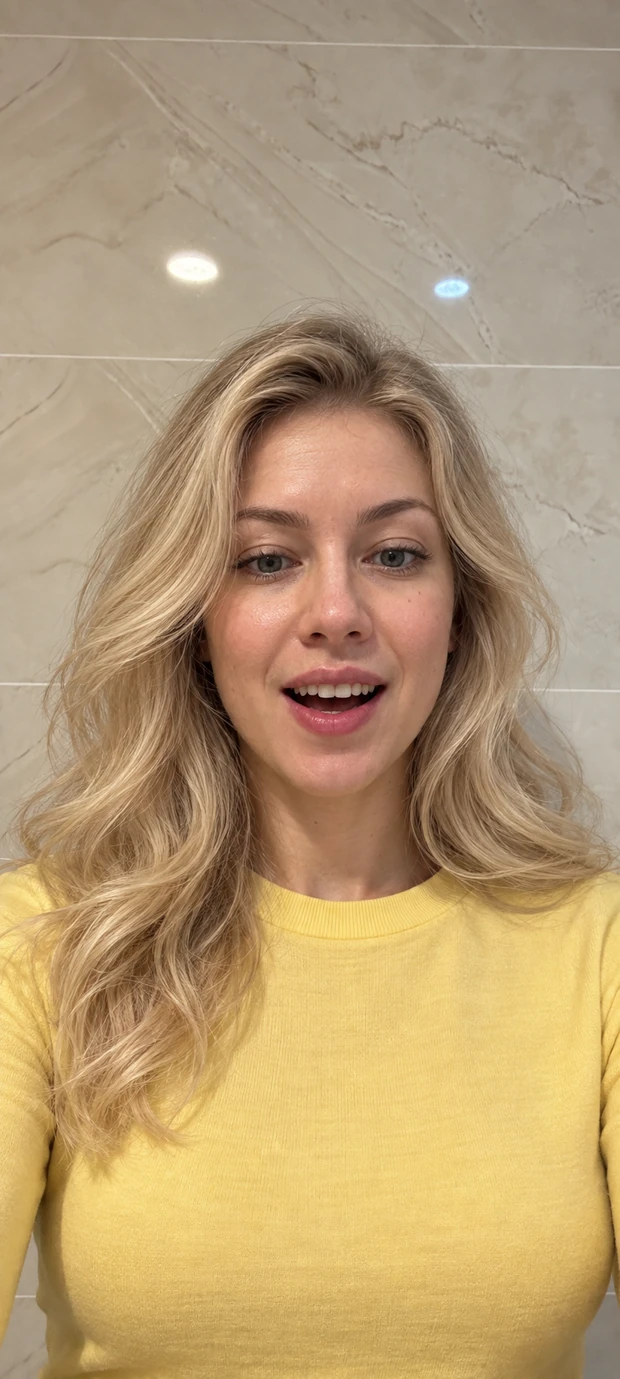
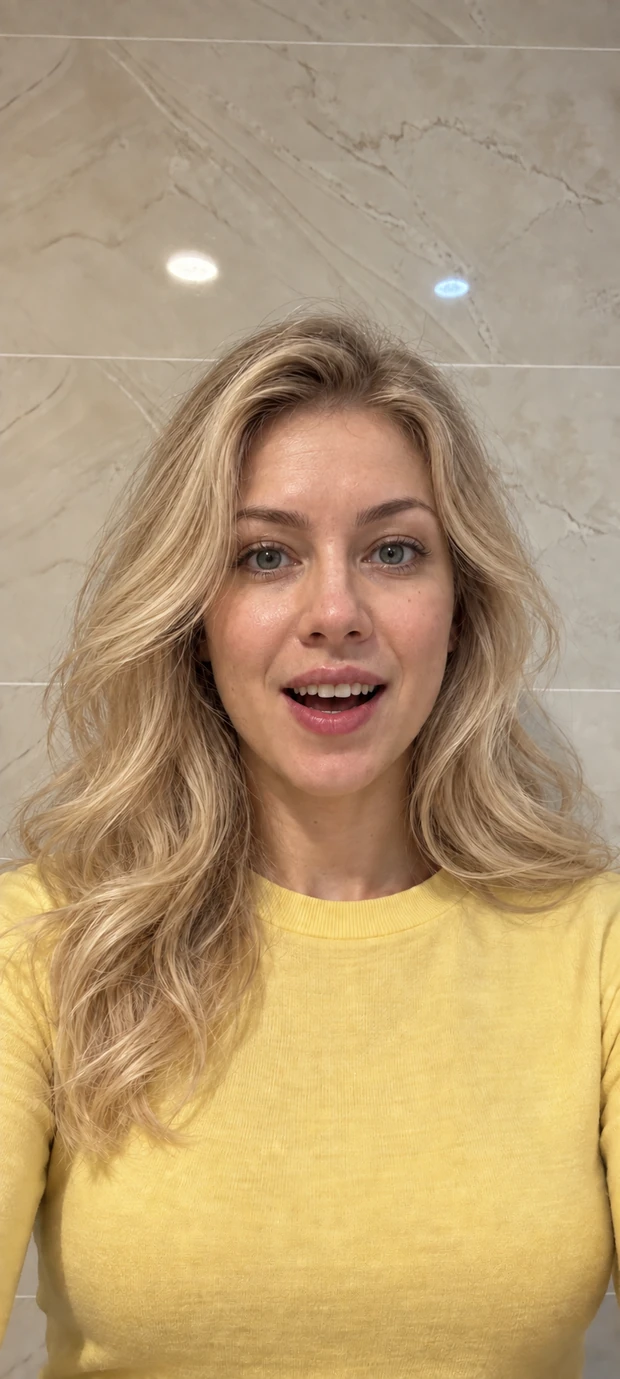
Illustrative comparison
VoiceFollow
VoiceFollow listens as you read and keeps your place for you. Pause, take a breath or repeat a line — it waits until you carry on.
Your voice sets the pace.
Hands-free scrolling at the speed you talk.
You're in control.
Move through the script yourself — nothing scrolls until you do.
Settle into a rhythm.
Choose a steady scrolling pace and adjust as you read. No microphone or speech recognition is needed.
Floating Prompt · Pro
Float your script over your camera or streaming app, so your talking points stay in view while you're live.
Follow your opening, key points, and closing without switching back to your script library.
Use your notes as a guide while you present, demonstrate, or speak to viewers live.
iPhone and iPad: Time and VoiceFollow in Picture in Picture. Android: Manual, Time and VoiceFollow. Microphone sharing with other apps varies by device, so test before you go live.
Floating setup guide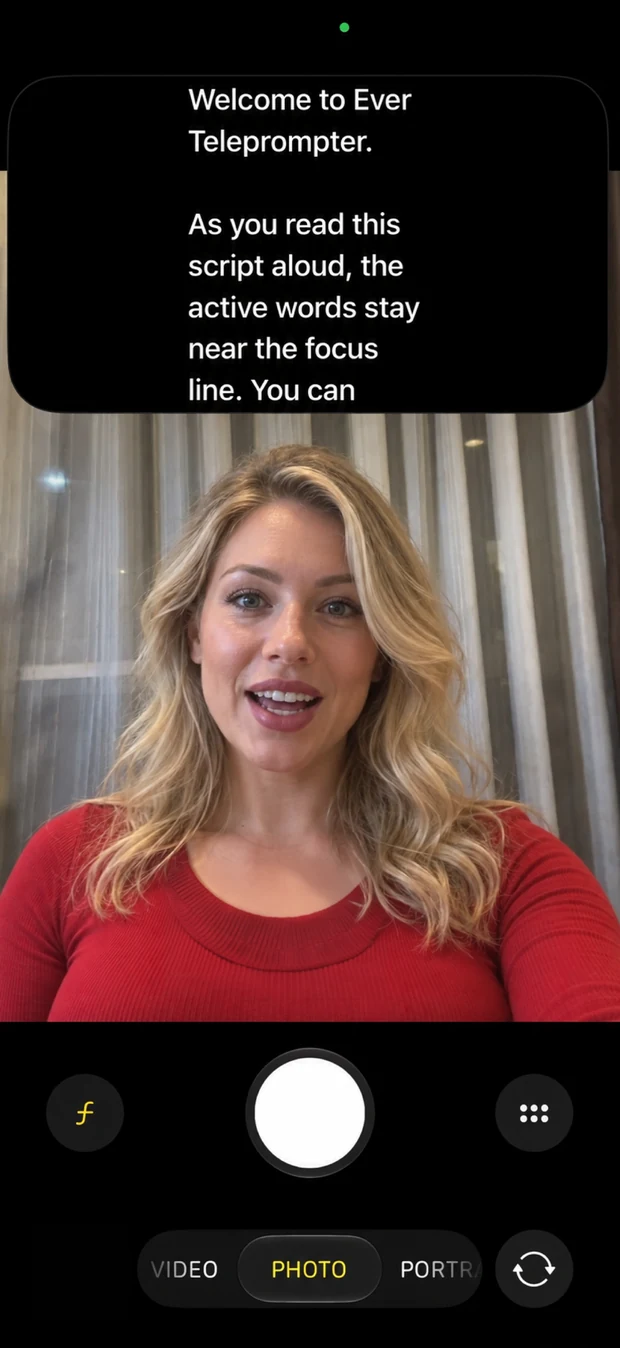
Inside the app
Write or import your script, rehearse with VoiceFollow, and record your take — all in one app.
Create or import a script, save your drafts, and pick up where you left off.
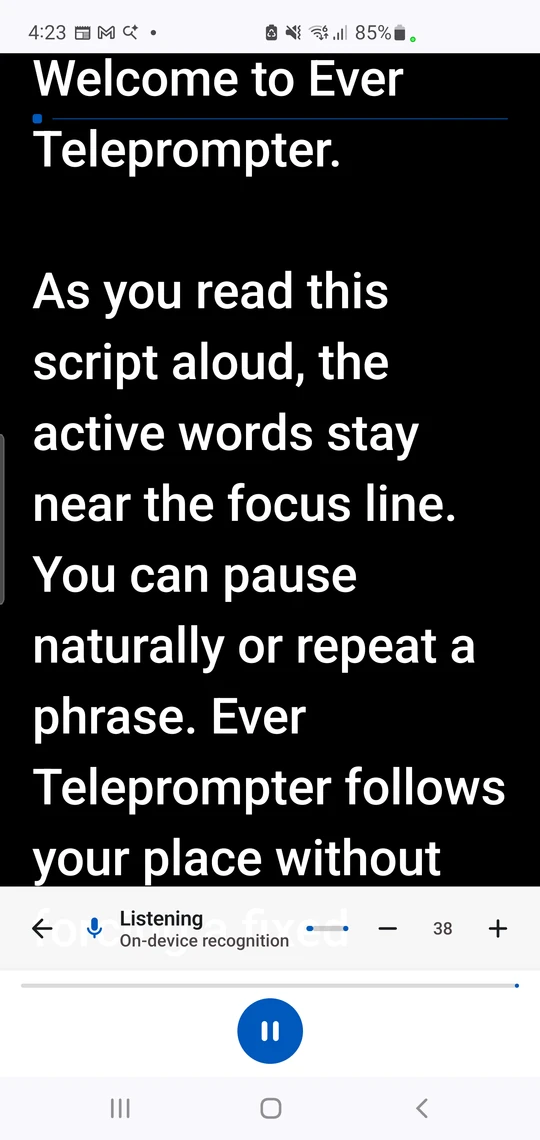
Download your language once and VoiceFollow works offline in supported languages, with nothing sent to our servers.
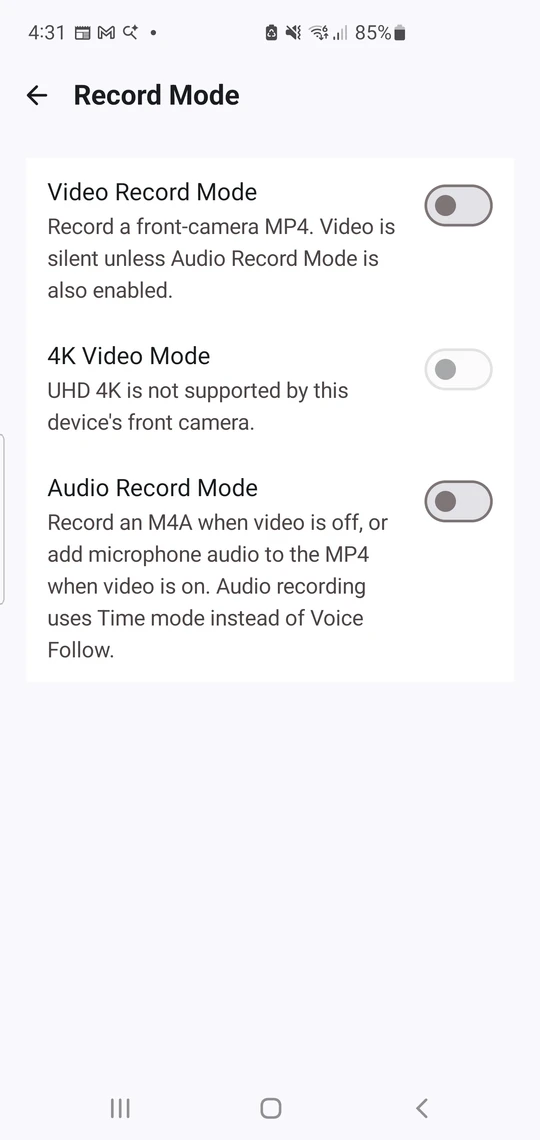
Pro Video/Audio Record Mode saves your front-camera video and microphone audio together in one MP4. Supported resolutions vary by device.
Auto-caption · Pro
Ever listens to your video on your phone, finds the script you read, and saves a new copy with captions timed to your voice.
Captions use the words from your script, so names and special terms come out right.
Short captions appear as you speak, burned into the new video and ready to share.
Choose capital letters, text size, color and position, with a live preview.
Works with videos you record in Ever or pick from your phone, as long as the script is in your library. Your original video stays unchanged, and nothing is uploaded. Android needs the video's VoiceFollow language downloaded; iPhone and iPad need iOS/iPadOS 26 or later.
How Auto-caption worksVideo editor
Open a video in Videos and tap Edit, or choose Edit Video from the menu. Your original video stays unchanged: edits are saved as a new copy, and nothing is uploaded.
Keep the best part.
Drag the handles to trim the ends or cut out any part, with undo and redo as you go.
Only your last take.
Retakes finds lines you said again and keeps only your last take. Pauses removes long silences.
Make it yours.
Captions that match your script, which you can fix and retime, plus your own text, logo, crop and volume.
iPhone and iPad need iOS/iPadOS 18 or later, and 26 or later for Retakes and Captions. Like Auto-caption, Retakes and Captions need your script in the library, and Android needs the video's VoiceFollow language downloaded.
How the video editor worksBring your own words
Create a draft or import an existing document. Keep it in your local library, then export or share when you're ready.
Works with your setup
Turn on mirrored text so your script reads correctly through a beam splitter, then fit it to the glass with margins and the cue line.
Many Bluetooth or USB presentation clickers, keyboards and game controllers can play, pause and move through your script.
Local-first by design
Scripts, drafts, reading positions, and recordings stay on your device unless you choose to share them. No ads in the app, and your scripts and recordings never touch our servers. Anonymous usage statistics help us improve the app, and you can turn them off.
Sign-in, purchases, and model downloads need an internet connection. Some languages use your phone's own speech service, which may process audio online.
Read our privacy policySimple pricing
Start free. Go Pro by the week, by the year, or with a one-time Lifetime purchase. Prices below are US prices on Google Play; iPhone and iPad pricing will be shown in the App Store.
$0 USD
No subscription
Manual prompting, Time mode on Android, video trimming and cutting, script and folder management, and appearance controls.
$3.99 USD
Billed every week
Full Pro access for your next project. Renews weekly until canceled.
$29.99 USD
Billed every year
A full year of Pro access. Eligible accounts may receive a 3-day trial, then $29.99/year until canceled.
$59.99 USD
One-time purchase
Pro access with a single payment. No subscription or recurring charge.
Every Pro option includes VoiceFollow, recording, floating features, Auto-caption, the full video editor, Feature Requests, and Time on iPhone and iPad. Available features vary by platform and device.
Prices shown are US prices on Google Play, in USD. Local prices and trial eligibility may vary; your app store shows the final price and billing terms before purchase.
Get the app Purchase detailsEver Teleprompter is for iPhone and iPad with iOS/iPadOS 17.0 or later, and Android phones and tablets with Android 8.0 or later. VoiceFollow requires iOS/iPadOS 26 or later on iPhone and iPad. Camera options and floating prompts depend on your platform and device.
Manual prompting, script and folder management, appearance and cue-line controls, and trimming and cutting videos are included in Free access, plus Time mode on Android. VoiceFollow, recording, floating features, Auto-caption, and the other video editor tools require Pro, and so does Time on iPhone and iPad. Check your app for the options and price offered on your platform.
Camera-Eye Level Mode keeps the script near your front camera, helping you look toward the lens while reading. That can make your delivery feel more direct and personal. Placement varies with your device and orientation.
VoiceFollow matches your speech to your script instead of moving at a fixed speed. You can pause, repeat a phrase, and continue at your own pace. Time mode scrolls at the pace you choose. Recognition performance depends on your language, platform, microphone, and surroundings.
Yes, once your language is downloaded. On Android, VoiceFollow works offline in English, Spanish, French, German, Portuguese, Chinese, Japanese, Korean, Hindi, Vietnamese and Filipino after you download that language's model while online; other languages use your phone's speech service, which may need a connection. On iPhone and iPad with iOS/iPadOS 26 or later, it uses Apple's on-device speech for supported languages, plus downloadable models for Hindi, Vietnamese and Filipino. Check the platform-specific guidance before relying on offline use.
Yes, with Pro. Video/Audio Record Mode saves front-camera video and microphone audio together in one MP4. It works with Manual, Time and VoiceFollow; Android VoiceFollow recording needs a downloaded local language model. Review and share the result from the Videos library. On iOS, exporting a video to Photos is a separate action. Resolutions depend on your device.
No. Android has a draggable overlay for Manual, Time and VoiceFollow, with permissions depending on the selected setup. iOS offers Picture in Picture for eligible Pro Time or VoiceFollow sessions; VoiceFollow requires iOS/iPadOS 26 or later. Other apps may interrupt microphone access. See support for setup and compatibility.
Scripts, settings, and reading progress are stored locally. Signing in on another device does not sync them. Export and share the scripts you want to move.
For iPhone, iPad and Android
Download free and start reading in minutes.
Upgrade to Pro when you want VoiceFollow and recording.
VoiceFollow on iPhone and iPad needs iOS/iPadOS 26 or later.
Questions? We're here to help